Crossword Studio – AI-Powered Crossword Puzzle Generator for Teachers
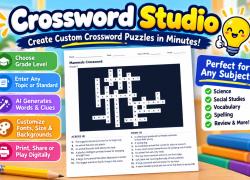
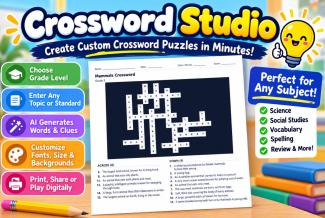
Create customized educational crossword puzzles in minutes with Crossword Studio! This AI-powered teaching tool makes it easy to turn vocabulary words, classroom lessons, and educational standards into engaging crossword puzzles that students can complete on paper or digitally.
Whether you're reviewing science vocabulary, practicing spelling words, reinforcing social studies concepts, or preparing for an upcoming assessment, Crossword Studio helps teachers create meaningful learning activities for students from kindergarten through 12th grade.
AI-Powered Puzzle Creation
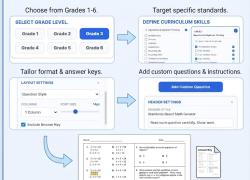
Simply select a grade level, enter a topic or educational standard, and choose how many vocabulary words you want to include. Crossword Studio uses artificial intelligence to generate relevant vocabulary words and student-friendly clues.
Teachers can also create their own word lists, edit clues, and customize puzzles to match specific classroom learning objectives.
Key Features
- AI Puzzle Generator: Instantly create vocabulary words and educational clues based on a topic, lesson, or standard.
- Kindergarten–12th Grade Support: Generate age-appropriate vocabulary and clues for different grade levels.
- Custom Word Lists: Add, remove, and edit vocabulary words and clues.
- Adjustable Puzzle Length: Choose between 5 and 25 vocabulary words.
- Automatic Crossword Layouts: Generate crossword grids and explore alternate arrangements.
- AI Clue Assistance: Use AI to help rewrite and improve vocabulary clues.
- Custom Fonts and Sizing: Adjust clue text, grid cells, and letter sizes for readability.
- Accessibility Options: Choose from multiple font styles, including a dyslexia-friendly option.
- Custom Backgrounds: Upload your own background images or generate themed backgrounds using AI.
- Printable Worksheets: Create classroom-ready crossword puzzles using the Print/PDF feature.
- Interactive Digital Gameplay: Let students solve crossword puzzles directly on their devices.
- Shareable Activities: Publish puzzles and generate links for classroom use.
Perfect for Any Subject
Crossword Studio works with virtually any classroom topic, including:
- Science vocabulary and concepts
- Social studies and geography
- Reading comprehension and vocabulary
- Spelling and word study
- Mathematics terminology
- Historical events and important people
- Test preparation and lesson review
- Seasonal and holiday activities
Create, Customize, and Share
Crossword Studio gives teachers control over their puzzles. Customize the title, educational subtitle, vocabulary, clues, fonts, grid size, and background design.
When your puzzle is ready, print it for independent practice, use it as a classroom review activity, or share it digitally for interactive learning.
Make vocabulary practice more engaging with Crossword Studio!
Explore Crossword Studio and discover more educator apps, classroom tools, and teaching resources at EducationalResource.org.
Materials Needed
- ### Materials Needed
- **For Teachers: **
- - Computer, laptop, or tablet with internet access
- - Access to Crossword Studio on EducationalResource.org
- - Classroom topic, vocabulary list, or educational standard
- - Printer and paper (optional for printable activities)
- **For Students: **
- - Printed crossword worksheet and pencil, or
- - Internet-connected computer, Chromebook, or tablet for digital gameplay
- **Optional Materials: **
- - Interactive whiteboard or classroom projector
- - Headphones for independent digital work
- - Vocabulary reference materials or classroom textbooks
- **No special software installation is required.** Crossword Studio runs in a compatible web browser.
Teacher Tips
- ### Tips for Using Crossword Studio
- **1. Start with Your Learning Objective**
- Enter a specific topic, lesson, or educational standard to generate vocabulary that supports what students are learning. More specific prompts generally produce more focused results.
- **2. Choose the Right Grade Level**
- Select your students' grade level so AI can generate appropriate vocabulary words and clues. Review the generated content to ensure it matches your students' reading abilities.
- **3. Adjust the Number of Words**
- For younger students or students needing additional support, begin with 5–10 words. Increase the number of words for more advanced learners or comprehensive reviews.
- **4. Review and Edit AI-Generated Clues**
- Always check the vocabulary and clues before assigning a puzzle. Use the editing tools or AI Rewrite Hints feature to make clues clearer or more challenging.
- **5. Customize for Accessibility**
- Adjust font sizes, crossword grid cells, and font families to make puzzles easier to read. Consider the dyslexia-friendly font option for students who benefit from alternative text presentation.
- **6. Use Digital and Printable Versions**
- Print puzzles for independent practice, homework, or substitute lesson plans. Use digital gameplay for classroom technology stations or interactive review activities.
- **7. Save Time with Reusable Activities**
- Create crossword puzzles for recurring vocabulary units, seasonal lessons, and assessment reviews. Generate alternative puzzle layouts to provide additional practice with familiar words.
Classroom Ideas
- ### Creative Classroom Activities with Crossword Studio
- **1. Vocabulary Review Challenge**
- Generate a crossword puzzle using vocabulary from the current lesson. Students complete the puzzle independently or with a partner to reinforce important terms.
- **2. Science Concept Review**
- Create puzzles featuring topics such as animal adaptations, ecosystems, electricity, magnetism, weather, or the water cycle. Use the clues to reinforce scientific definitions and concepts.
- **3. Social Studies Crossword**
- Review geography, historical events, government, communities, and important historical figures through engaging crossword activities.
- **4. Partner Puzzle Challenge**
- Have students work in pairs to solve a crossword puzzle. Encourage them to discuss clues and explain their reasoning before entering answers.
- **5. Classroom Learning Stations**
- Include a digital crossword activity in a rotation of independent learning stations. Students can practice vocabulary while working on classroom devices.
- **6. Test Preparation**
- Generate crossword puzzles using key vocabulary from an upcoming assessment. Use the activity as a review before students complete their test.
- **7. Early Finisher Activities**
- Provide themed crossword puzzles for students who finish assignments early. Select topics connected to current classroom instruction.
- **8. Student-Created Crossword Puzzles**
- Challenge students to develop vocabulary words and write their own clues. Teachers can enter the words and clues into Crossword Studio to create a printable or digital puzzle.
- **9. Seasonal Learning Activities**
- Create puzzles for holidays, seasons, special school events, and themed classroom celebrations.
- **10. Homework and Family Practice**
- Print crossword puzzles or share digital activity links so students can review classroom vocabulary outside of school.