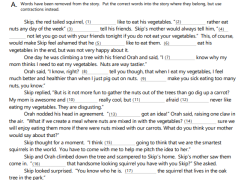
Engage students with a cloze reading story about Skip the squirrel and his dislike for vegetables. They will practice forming contractions by converting words to fill in the blanks.
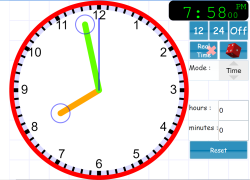
Students actively learn analog and digital time, angles, and fractions with an interactive clock. Teachers will find smartboard control effortless for engaging demonstrations.
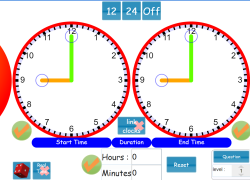
Engage students with interactive, Smartboard-friendly clocks to practice elapsed time. They will calculate, verify, and solve word problems, mastering time concepts digitally.
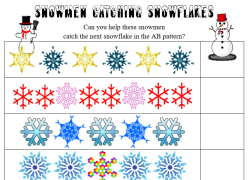
First graders will explore and master AB patterns through interactive lessons and a cutting/gluing snowflake activity. An optional craft extends learning, making winter math engaging and fun.
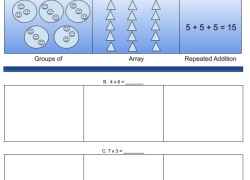
Students will apply and model various multiplication strategies including arrays, groups of, and repeated addition. They demonstrate understanding by solving seven problems.
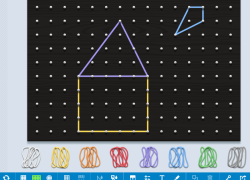
Guide students to create various 2D shapes and original images using a digital geoboard. Students explore properties, area, and perimeter through interactive design.
Introduce weathering and erosion concepts using an animated video. Students will grasp these key geological processes through clear scientific explanations and relatable cartoon characters.
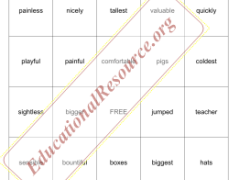
Help students master suffixes through a fun bingo game! They will review how suffixes change word meanings by matching definitions to words on their unique cards.
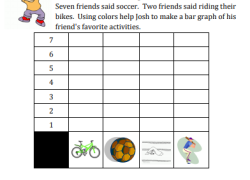
Students practice graphing numbers and interpreting data from a story. They also survey peers, create bar graphs, and analyze data on summer fun.
Students identify 3rd grade personification, idioms, metaphors, similes, and alliteration. They practice figurative language skills by dodging tarpons and collecting keys within a fun game challenge.
Young students will master telling time. They'll learn time to the hour and half-hour, with an introduction to quarter-hours, building foundational clock skills.
Students will grasp foundational concepts for reading analog and digital clocks. They will review and reinforce skills necessary for accurately telling the time.